Turn product photos into video ads in 60 seconds.
Upload one photo. Get a scroll-stopping vertical video ad — no camera, no editor, no agency retainer.
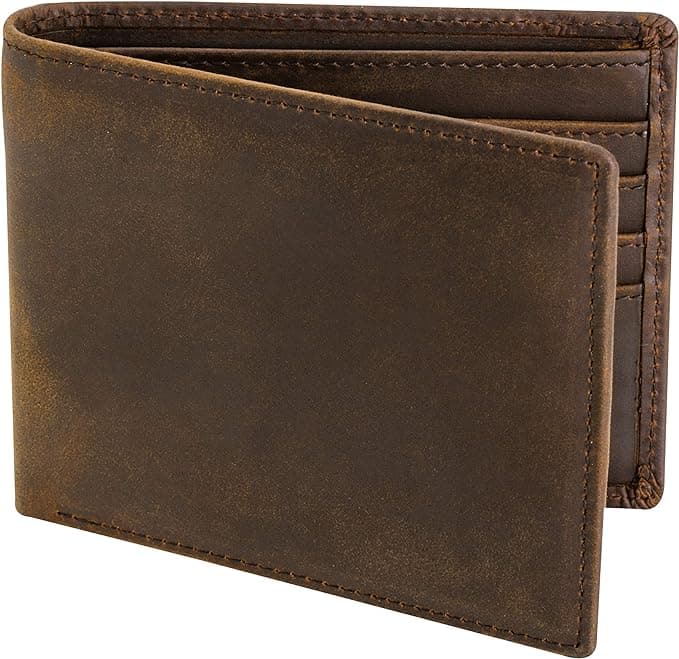

How it works
- 1
Upload a product photo
One clear JPG or PNG. No studio, no shoot, no crew.
- 2
Pick a style, describe the motion
Cinematic or Premium — then say how the shot should move.
- 3
Post it
A vertical, ready-to-post MP4 lands in your library in about a minute.
Two looks, one photo.
Pick the feel that fits the placement.
Cinematic
2 creditsHailuo 2.3
Sweeping camera moves and film-grade lighting.
Premium
4 creditsVeo 3.1
Highest fidelity. Best for hero shots.
Questions, answered.
Everything worth knowing before your first video.
What kind of photos should I upload?
Upload clean, well-lit product photos. Best results come from products on plain or simple backgrounds (white, wood, marble). Avoid blurry photos, harsh shadows, or messy backgrounds. Do not upload photos of people holding products.
Do I need a subscription?
No. You buy credits in packs. Credits never expire. Use them whenever you want.
How many credits does one video cost?
The Cinematic style (MiniMax) costs 2 credits. The Premium style (Google Veo 3.1) costs 4 credits.
How long does it take to generate a video?
Most videos generate in 1-3 minutes. The dashboard auto-refreshes, so you'll see your video as soon as it's ready.
What happens if my video generation fails?
If the AI fails to generate your video, your credits are automatically refunded to your account within seconds.
How long are my videos stored?
Videos are stored for 90 days. Download them to keep them forever — hit Download on any video in your library and the MP4 is yours, with no time limit. After 90 days the file is removed from our servers to keep costs down, and the video shows as expired in your library.
Can I use the videos for ads?
Yes. You own the videos you generate. Use them for Facebook ads, TikTok, Instagram, Shopify product pages, or anywhere else.